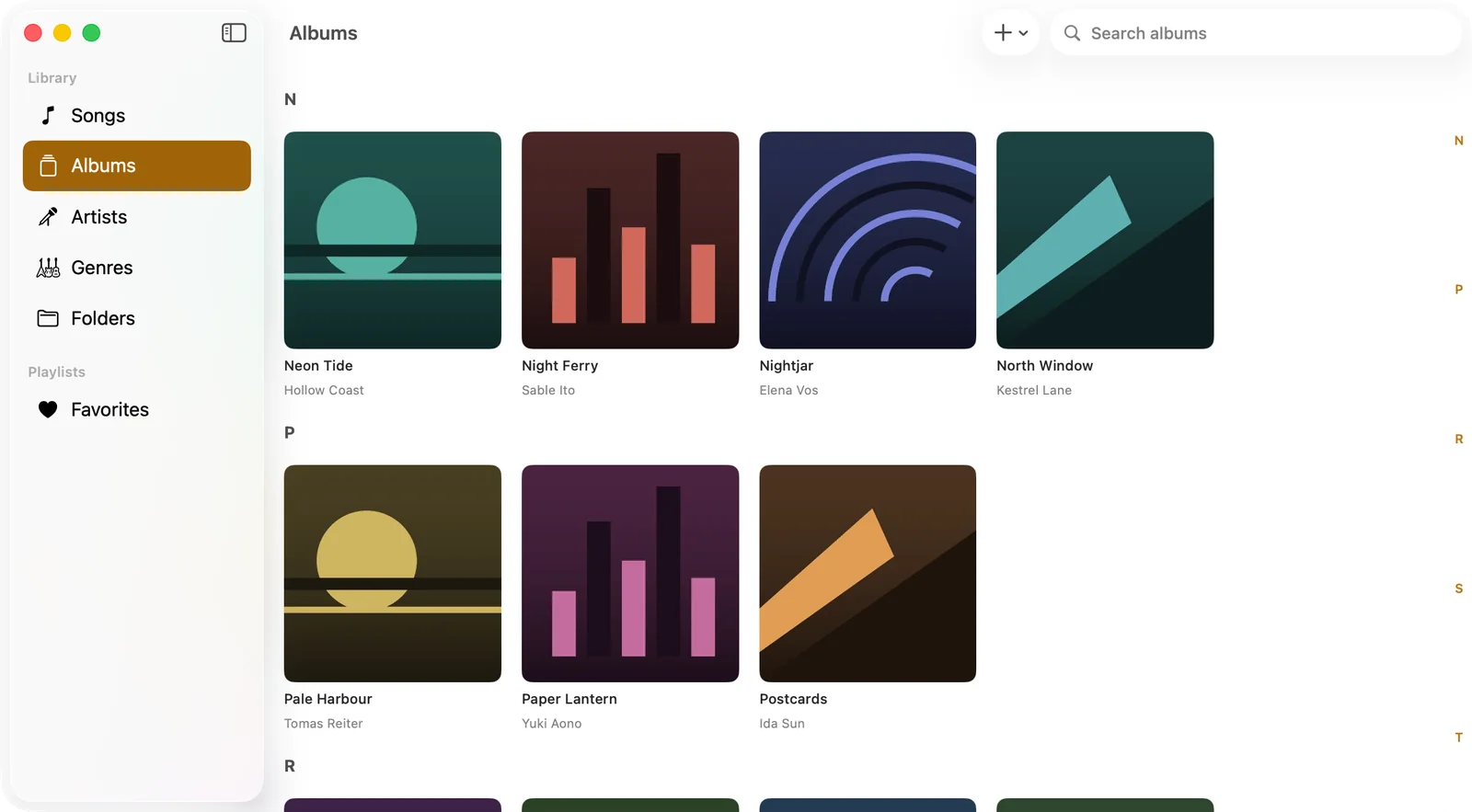
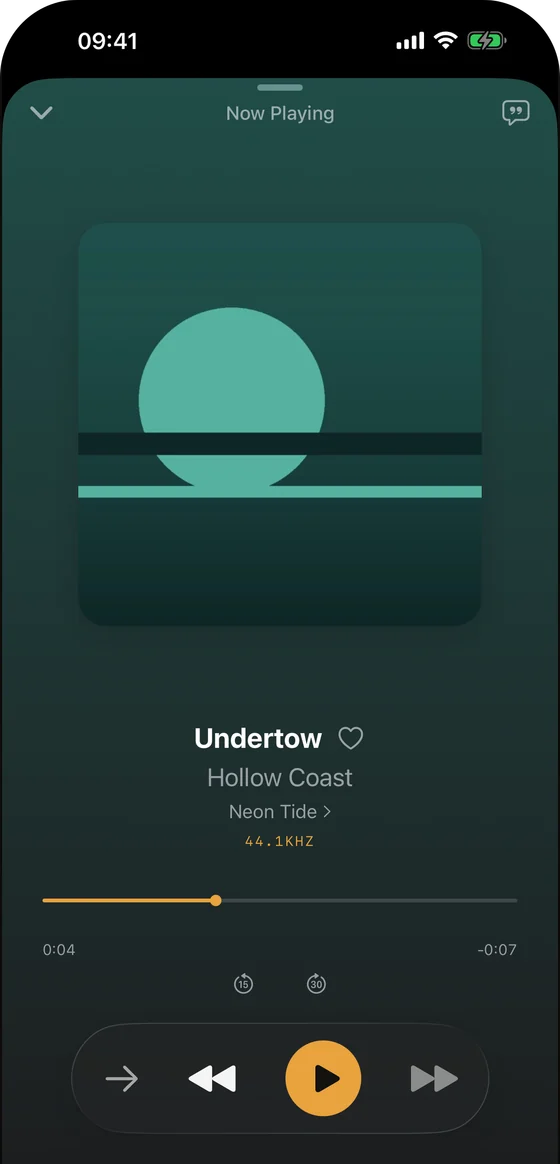
Play the music you own, across your Apple devices.
Trove is a native local music player for iOS and Mac — iPhone, iPad, Mac and Apple Watch. Add your files, find them by album and artist, and press play. No account or subscription.
Pro is $9.99 once, all your devices — never a subscription
What Trove does
A local music player iOS users can actually own
Built for local libraries, NAS collections and lossless files — the things streaming apps treat as an afterthought.
Plays everything you own
Trove plays your files as they are — no re-encoding, no uploading, no library lock-in. Lossless and exotic formats included.
FLAC, ALAC, WAV, AIFF, MP3 and AAC natively
APE, OGG, OPUS, WMA, DSD, WavPack and more via built-in decoding
Gapless playback, adjustable speed and a 10-band equalizer
ReplayGain volume leveling, per track or per album
Your library, from anywhere
Keep music on your NAS, a server or your device — Trove connects to it directly. No cloud middleman, no account required.
Play from WebDAV and SMB shares on your NAS, with downloads as neededPro
Import over Wi-Fi, from a folder, or from the Files app
Tags, artwork and lyrics are read straight from your files
Missing lyrics or artwork? Search online and pick the match — nothing is looked up until you ask
Truly native on Mac, iPhone, iPad and Apple Watch
Built with SwiftUI, not an Electron shell or a stretched web view — one app across the Mac and the iOS family, and the Apple Watch plays offline without your phone.
Siri shortcuts, background playback and AirPlay on iOS
CarPlay on iPhone: playlists, albums, artists and songs on the car screen
On Mac: a menu bar mini player and media key support
Send songs to your Apple Watch and listen without your iPhonePro
No uploads, no account, no re-encoding. Your files stay yours.
1
Point Trove at your music
Add a local folder, drop files in over Wi-Fi, or — with Pro — connect a WebDAV or SMB share on your NAS or server. Your files stay exactly where they are.
2
Trove scans and organizes
Tags, album art, lyrics and duration are read in the background, and a cover.jpg or folder.jpg beside the music counts as album art. Your library appears organized by songs, albums, artists and composers.
3
Press play
Gapless playback, synced lyrics, EQ presets and AirPlay — on your Mac, your iPhone, your iPad and your Apple Watch, and in the car through CarPlay, with no subscription and no account.
Pricing
Pay once, or not at all
Trove is free to download and free to keep using. Everything below is a one-time purchase — there is no subscription, no trial timer and no account.
Free
$0
Yours forever, no account
✓Your whole library: 15+ formats, MP3 through FLAC, APE and DSD
✓Gapless playback, playback speed, a 10-band equalizer, ReplayGain leveling and a sleep timer
✓A play queue you can reorder, and CarPlay on iPhone
✓Add music from a folder, the Files app, or over Wi-Fi from a computer
✓Songs, albums, artists, composers, genres, folders, playlists and favourites, with M3U import and export
✓Synced lyrics from embedded tags or an .lrc file, online lyrics and artwork search, and the lyrics editor
✓AI tag cleanup, fixing song info against MusicBrainz, AirPlay, Siri shortcuts and background playback
Pro
$9.99
One-time purchase — unlocks all six
✓WebDAV and SMB — Play and download straight from a NAS, a home server or a cloud drive — no uploading your library anywhere.
✓Apple Watch sync — Send songs to the watch over Apple's device-to-device link and listen with the phone left at home.
✓Write tags back to files — Save title, artist, album and artwork fixes into the audio file itself, so they travel with your music.
✓Smart playlists — Rules that collect songs for you and keep themselves current.
✓Desktop lyrics — On the Mac, a floating lyrics window that stays above your other windows and follows what is playing.
✓Tap to sync lyrics — Play a song, tap along, and Trove writes the LRC timings for you.
Pro Supporter
$24.99
One-time — if you want to chip in
✓Everything in Pro, at a price you choose to pay
✓Four alternate app icons and the accent colour picker
✓Keeps a one-person project going
The free app is not a trial: it plays your whole library, in every format, for as long as you like. Pro unlocks the six features listed above and nothing is taken away if you never buy it. Prices are US App Store prices and may differ in your region. Both tiers are one-time purchases tied to your Apple Account rather than to a device — buy Pro once and it unlocks on your Mac, iPhone, iPad and Apple Watch, not per platform. Sign in to the same Apple Account on each. Both unlocks are enabled for Family Sharing, so one purchase covers up to six people in the same family group.
FAQ
Local music player questions, answered
Quick answers about Trove, formats, NAS streaming and pricing.
Is Trove a local music player for iOS? Yes. Trove is a native local music player for iOS 17 and later, running on iPhone, iPad and Apple Watch — and since September 2026 on the Mac as well, from the same App Store listing. It plays audio files you already own — MP3, AAC, FLAC, ALAC, APE, WAV, AIFF, OGG, OPUS and DSD among more than fifteen formats — directly from on-device storage, from the Files app, or streamed over WebDAV or SMB from a NAS on your own network. Nothing is uploaded, no account is created, and no track is re-encoded on the way in. Playback is gapless, lyrics sync word by word from embedded or LRC files, and the app is free to download with a one-time Pro unlock rather than a subscription.
What is Trove?
Trove is a native local music player for iOS and macOS — iPhone, iPad, Mac and Apple Watch. It plays audio files you own — including FLAC, ALAC, APE and DSD — from your device, with gapless playback, a 10-band equalizer and word-by-word synced lyrics. A one-time Pro unlock adds playback from a WebDAV or SMB server such as a NAS, downloading tracks as needed.
How much does Trove cost?
Trove is free to download and free to keep using: every format, gapless playback, the 10-band equalizer, the sleep timer, folder and Wi-Fi import, playlists and synced lyrics are all in the free app — and so is everything added in version 1.2, including CarPlay, the play queue, online lyrics and artwork search, M3U playlists and ReplayGain volume leveling. Trove Pro is a one-time $9.99 purchase that unlocks six things: WebDAV and SMB network sources, Apple Watch sync, writing tags back to your files, smart playlists, the floating desktop lyrics window on Mac, and tap-to-sync lyrics editing. Trove Pro Supporter at $24.99 is the same unlock plus four alternate app icons and accent colours, for people who want to chip in. Both are paid once — no subscription, no recurring fee, no trial timer — and one purchase covers every platform, because the unlock is tied to your Apple Account rather than to a device. Both are also enabled for Family Sharing, so a single purchase can cover up to six people in the same family group. (US App Store prices; regional prices vary.)
Can I share Trove Pro with my family?
Yes. Both in-app purchases — Trove Pro and Trove Pro Supporter — are enabled for Family Sharing, so one purchase can be shared with your family group of up to six people, at no extra cost. Each person uses their own Apple Account and their own library; they simply get the Pro features unlocked. Combined with the universal purchase, that means a single $9.99 payment can unlock Pro for six people across their Macs, iPhones, iPads and Apple Watches.
Which platforms does Trove support?
Trove runs natively on iOS 17 or later and macOS 14 or later, covering iPhone, iPad, Mac and Apple Watch, and on iPhone it also works with CarPlay. It is one App Store listing rather than a separate app per device, so the Mac and iOS versions are the same product.
Does Trove work with CarPlay?
Yes, on iPhone, since version 1.2 (September 2026), and it is free — CarPlay is not part of Trove Pro. The car screen shows your library in four tabs: playlists, albums, artists and songs, with long lists split into alphabetical pages rather than cut off at the car's row limit. Playback runs on the phone, so everything Trove plays — FLAC, ALAC, APE and DSD included — plays in the car too. Songs you have downloaded from a WebDAV or SMB share are part of the library and show up there; browsing the share itself is something you do on the phone.
Is there a Mac version of Trove?
Yes, since September 2026. The Mac app is built from the same SwiftUI codebase and ships from the same App Store listing as the iPhone, iPad and Apple Watch versions — it requires macOS 14 or later. On the desktop it adds a menu bar mini player, media key support and a floating lyrics window that stays above your other windows. Because it is one listing rather than a separate Mac product, buying Pro once unlocks it everywhere: sign in to the same Apple Account on your Mac and the purchase you made on your iPhone is already there.
Which audio formats does Trove play?
Natively: MP3, AAC, ALAC (m4a), WAV, AIFF, CAF and FLAC. Through built-in extended decoding: APE, OGG, OPUS, WMA, DSD (DSF/DFF), WavPack, TTA and Musepack.
Can Trove stream music from my NAS or home server?
Yes, with Trove Pro. Network sources are the main thing the one-time $9.99 unlock buys: Trove then connects directly to WebDAV and SMB shares, so you can browse and play a library stored on a Synology or other NAS, a home server, or any WebDAV-compatible storage — without uploading your collection to a third-party cloud. The free app plays music from the device, the Files app and Wi-Fi transfer.
Can I listen on my Apple Watch without my iPhone?
Yes, with Trove Pro. Send songs from your library to the Apple Watch app over Apple's device-to-device connection, then play them with the phone left behind — useful for running and the gym. The transfer never goes through the internet or our servers.
How is Trove different from Swinsian or foobar2000?
Swinsian is a Mac music-library player, while foobar2000 has official Windows, macOS, Android and iOS versions; its Mac version supports a selection of add-on components. Trove is a native app from one App Store listing for Mac, iPhone, iPad and Apple Watch. With Trove Pro, you can add the same SMB or WebDAV NAS source separately on your Mac and iPhone; the Apple Watch plays songs transferred to it offline, not directly from the NAS. Pick by the library tools and device workflow you actually use, not outdated platform assumptions.
Does shuffle stop after the last song?
Since version 1.5, shuffle starts a freshly shuffled round when the current queue reaches its end, so you can keep listening without pressing Play again. Version 1.6 is available on iPhone, iPad and Mac.
How do I report a problem?
Use Feedback in Trove 1.6 to submit directly over HTTPS, without a Mail account. Describe what happened and press Send Feedback; a reply email is optional. You can separately choose whether to attach the playback log or a troubleshooting package. Troubleshooting recording is off by default and stays on your device; use Privacy & Diagnostics to turn it on and Create Diagnostic Package if you want one. The separate playback log can contain track titles, file paths, server addresses and errors. Nothing uploads automatically. If sending fails, your message stays in the app so you can retry or save a feedback package. See the app privacy policy before sharing.
Is my music and data private?
Yes. Trove is local-first: your files never pass through our servers, and there is no account to create. Your library index stays on your device; listening history stays there too. We do not collect either. Looking up missing lyrics, artwork or song details sends only what identifies the song — title, artist, album, length — straight to public music databases, and only when you ask or turn automatic lookup on. In Trove 1.6, troubleshooting recording is off by default, stored locally and never uploaded automatically. A user-created package can be selected for feedback; the separate playback log has its own attachment choice and may contain song titles, paths or server addresses. Feedback goes over HTTPS only when you press Send. See the app privacy policy for the full detail.
Honest comparisons of the players people actually switch from, plain definitions for the formats, and eight browser tools for tidying a library — no upload, no account.