Foobar2000 Alternatives for Mac (2026)
foobar2000 already runs on Mac and iPhone, and its Mac build supports add-on components. If you still want a different player, choose by the workflow you need: library organization, network sources, a native Mac interface, or offline music on Apple Watch. Trove is our option for Mac and iPhone from one App Store listing; it is not a reason to pretend foobar2000 is desktop-only.
Looking for the phone side of this instead? The iOS comparisons cover Evermusic, Flacbox and VOX — including which two share a developer.
Start with what foobar2000 already does
The official foobar2000 site lists Windows, macOS, Android and iOS, with a separate iOS version. Its Mac build has supported add-ons since version 2.6, and the macOS component repository shows what is available. Its Mac changelog also documents direct FTP, WebDAV and SMB media-library indexing. Component availability and interface choices can differ by platform; check the particular component you rely on instead of assuming either full parity or no components at all.
The trick to choosing well: foobar2000 meant different things to different people. Pick your replacement by what you actually used it for.
If you used foobar2000 as a library powerhouse
Strawberry (free, open-source) is the closest match on Mac: plays essentially every format, strong tagging and library tools, EQ, ReplayGain. It's a Qt app, so it looks like it wandered off a Linux desktop — but functionally it's the power-user's choice.
Swinsian is a Mac-focused library player with watch folders and smart playlists. Swinsian 3 shipped in August 2025, so the old claim that it is stuck in beta is wrong. We compare its workflow in our Swinsian alternatives guide.
If you used it as a minimalist bit-perfect player
Cog (free, open-source) plays FLAC, DSD, and just about anything else with zero fuss — closest in spirit to a stripped foobar setup. Colibri (cheap, one-time) is similar with a friendlier face. Neither manages a huge library; both excel at "play this folder, perfectly."
If you used it for DSP and audiophile output
This is where the Mac ecosystem wants a subscription: Audirvana does high-end output chains and upsampling, but moved to subscription pricing (a one-time "Origin" edition exists). Worth it for serious DAC setups; overkill for most libraries.
If you mainly want it to feel good on a Mac
Doppler offers a different Mac interface and a separate iOS app. If your decision hinges on a particular NAS protocol, component, or purchase arrangement, check its current official product pages before switching; the answer matters more than a broad “more modern” label.
The honest matrix
- Free + maximum formats: Strawberry (power) or Cog (minimal)
- Native Mac feel: compare Doppler and Swinsian's current Mac builds
- Audiophile output chains: Audirvana (subscription) or Colibri (simple)
- Mac and iPhone under one App Store listing, with optional NAS sources: Trove. Its WebDAV/SMB connections require Pro and are added on each device; the music library does not automatically sync between devices.
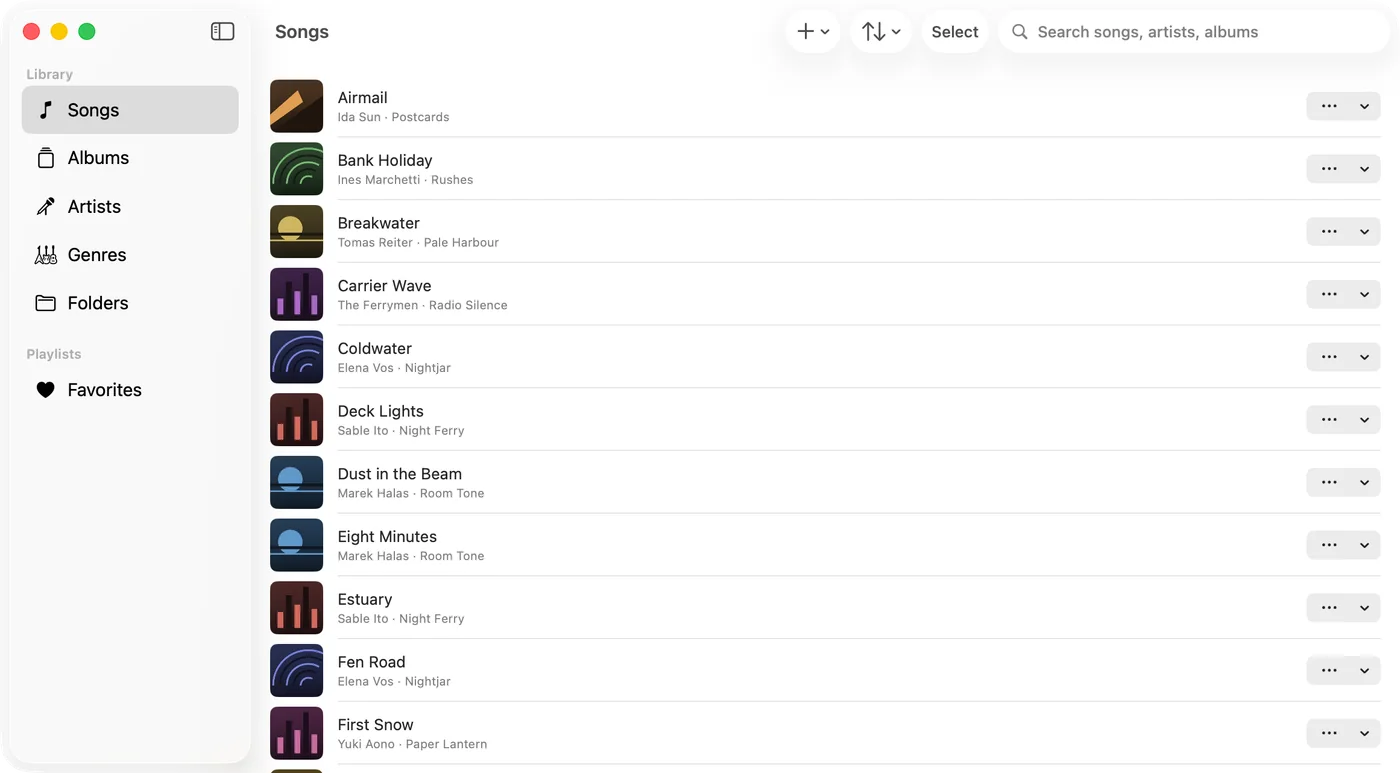
Trove is our option for that last row. One App Store listing covers Mac, iPhone, iPad and Apple Watch — macOS 14 or iOS 17 — with 15+ formats including FLAC, APE, DSD and WavPack, gapless playback, a 10-band EQ and synced lyrics. The free app plays local files; a one-time Pro purchase unlocks SMB/WebDAV network sources and tag write-back, among other features. Add the same NAS server separately on Mac and iPhone if you want both to browse it. The Watch plays songs transferred to it offline with Pro; it does not connect to the NAS. One Pro purchase is tied to your Apple Account rather than sold per platform. Trove is on the App Store.
What a foobar2000 refugee actually gets, component by component
foobar2000 is a construction kit, so "is there an alternative" really means "which of my components have equivalents". Honestly mapped:
| What you used foobar2000 for | In Trove |
|---|---|
| Playing anything, bit-perfect | 15+ formats natively and via a bundled decoder; Hi-Res plays at the file's own sample rate rather than being resampled |
| Tag cleanup | Built-in editing of title, artist, album, genre, comments, track numbers and artwork; writing those changes into the file requires Trove Pro |
| Library views | Browse by song, album, artist, genre or folder; favourites and ratings are free, while rule-based smart playlists require Pro |
| DSP chain | A 10-band EQ with presets, playback speed, volume gain, stereo balance and crossfade; Trove does not offer foobar2000's component-based DSP customization |
| Networked library | With Pro, add WebDAV or SMB sources on Mac or iPhone; Wi-Fi file transfer into the local library is free. foobar2000 for Mac also supports network-share indexing, so compare actual workflows |
| Mobile and Watch listening | foobar2000 has an official iOS app. Trove also runs on iPhone/iPad; with Pro it can transfer songs to Apple Watch for offline playback without the phone |
On the Mac it adds a menu bar mini player, media key support and a floating lyrics window that stays above whatever else you are doing.
Where Trove will not satisfy you: if a specific foobar2000 component or output chain is essential, verify that Trove has an equivalent before moving. The Mac foobar2000 build may already support the component you need. Trove's appeal is its native Apple-device workflow and one Pro unlock, not a claim that foobar2000 lacks Mac add-ons or a phone app.
FAQ
Is foobar2000 for Mac still maintained? Yes. Its Mac page lists version 2.26 as of October 2026, and its Mac component repository lists compatible add-ons. Check the current pages for a later release or the specific component you need.
Do I need to run the Windows build on a Mac? Not necessarily. Start with the native Mac build and check its compatible components. Only consider a compatibility layer if a Windows-specific component is indispensable.
What's the best free foobar2000 alternative for Mac? Strawberry if you want the library features; Cog if you want lean, bit-perfect playback.
Which alternative also works on iPhone? First, foobar2000 itself has an iOS version. Trove covers Mac, iPhone, iPad and Apple Watch under one App Store listing. Trove Pro lets you add a NAS source separately on Mac and iPhone, while music sent to the Watch plays offline; it does not turn the Watch into a network-share browser or automatically copy a library between devices.
Is there a foobar2000 alternative that plays DSD on a Mac? Trove plays DSF/DFF alongside APE, WavPack, TTA and Musepack. If your DSD setup depends on a particular output mode or component, test that exact path before migrating rather than assuming feature parity.
Do I lose my ReplayGain values? They live in your file tags, so they travel with the files — but each player decides what to do with them, and support varies across this list. If loudness matching is non-negotiable, that is the first thing to test, not the last.
Related guides & tools: WebDAV music player for iPhone and Mac · FLAC vs ALAC · Free in your browser: ID3 Tag Editor · Extract Album Art
Try Trove on your own library
Trove plays FLAC, ALAC, APE and DSD on Mac, iPhone and iPad. With Pro, those devices can browse a NAS over WebDAV or SMB. Apple Watch plays transferred songs offline, not from the NAS. Free to download; Pro is one $9.99 purchase across your devices.