Swinsian Alternatives for Mac (2026)
Swinsian 3 is a current Mac music player, not an abandoned beta. If you still want a different workflow, compare Doppler for a different Mac interface, Strawberry for library management, Cog or Colibri for focused playback, and Trove (ours) for an Apple-device app with optional NAS sources. The useful question is what you need beyond Swinsian, not whether it exists.
If you are replacing the iPhone half of your setup at the same time, the iOS comparisons cover Evermusic, Flacbox and VOX with their current prices.
What Swinsian already offers
Swinsian is a Mac library player with watch folders, smart playlists and tag editing. Its developer released Swinsian 3 in August 2025, adding native Apple Silicon support and expanded tagging. The announcement lists a $34.95 licence, with a discount for existing version 2 owners; check current pricing before buying.
Reasons to compare another player are practical: you may want an iPhone app from the same listing, a direct SMB/WebDAV source in the player, or a different library interface. Verify the exact feature you need against each developer's current documentation rather than inferring it from old release history.
The alternatives, honestly compared
Doppler — the modern native one
Doppler offers a different Mac interface and an iOS sibling. Compare its current official pricing, import and network-source options with the workflow you need; separate device apps do not by themselves tell you how your files move between them.
Strawberry — the power-user one
A maintained fork of Clementine: free, open-source, with EQ and library organization. Its Qt interface feels different from Swinsian's native Mac interface; test your actual library and devices before choosing it.
Colibri / Cog — the lightweight audiophile ones
Both are small, focused Mac players with excellent lossless support (FLAC, DSD via Cog). Great as "just play this folder bit-perfectly" tools. Neither tries to be a library manager, so a 50,000-track collection with smart playlists isn't their game.
foobar2000 for Mac — the famous name
The official foobar2000 site lists Mac and iOS versions, and its Mac component repository has compatible add-ons. That makes it a real cross-device option, not a Windows-only relic. See our foobar2000 alternatives for Mac guide.
Vox — approach with eyes open
Polished looks and hi-res support, but the free player is a funnel into subscription upsells (cloud storage, premium). If you left streaming services to own your music experience, read the pricing page carefully first.
Choose by the workflow you need
There is no honest “only one app can do this” shortcut: foobar2000 itself has Mac and mobile versions and its Mac build can index network shares. Ask which details matter to you:
- a native interface on both macOS and iOS, with device setup you understand;
- direct WebDAV/SMB access from the devices you use, or a local-file workflow;
- the audiophile table stakes — FLAC/ALAC/APE/DSD, gapless, proper tags — plus modern comforts like word-by-word synced lyrics;
- one-time pricing, because this crowd (rightly) hates subscriptions.
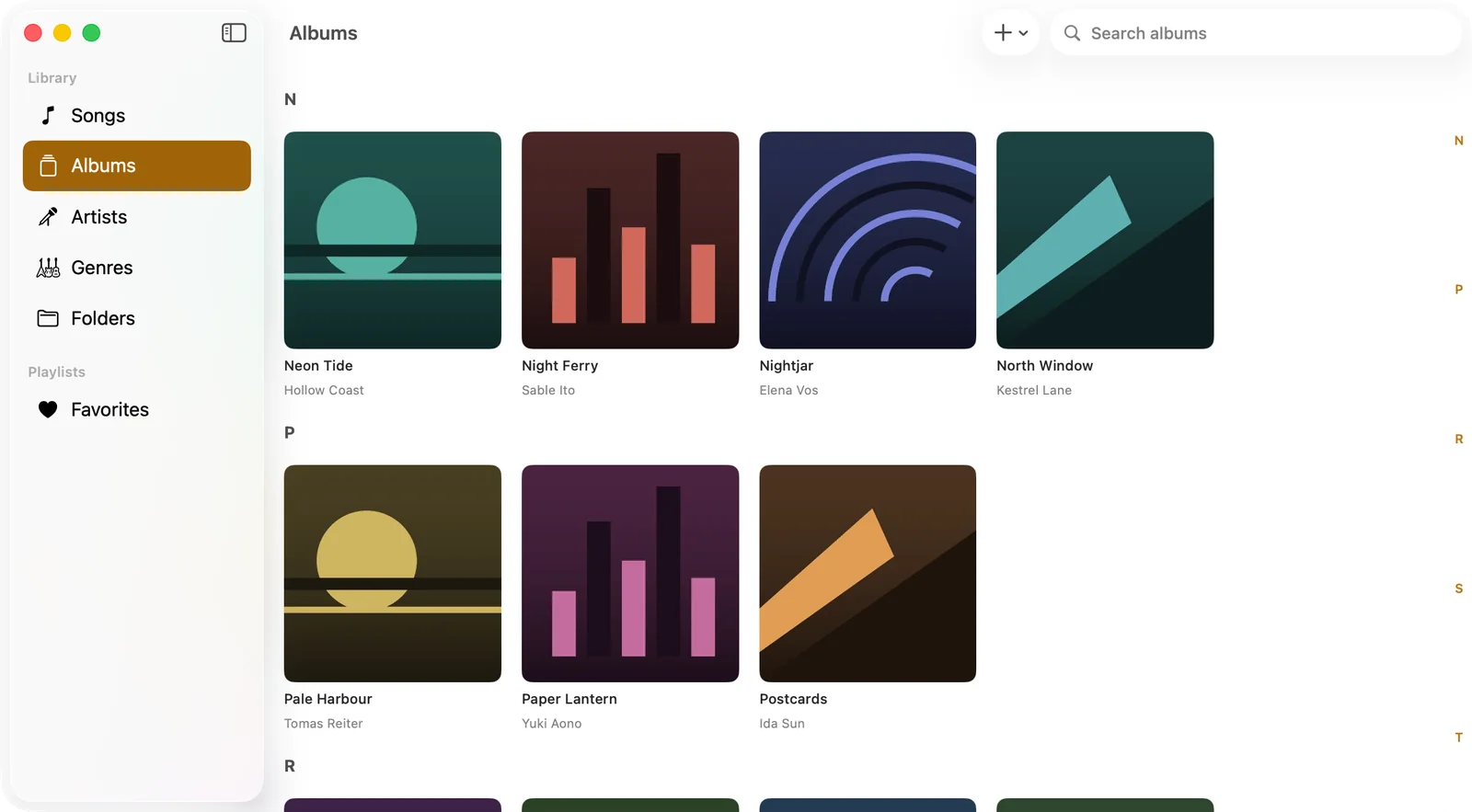
Trove is our attempt at that checklist. It is a native SwiftUI app on the App Store for Mac, iPhone, iPad and Apple Watch under one listing: local folders, 15+ formats, gapless playback, a 10-band EQ and word-by-word synced lyrics in a free download. A one-time Pro purchase unlocks WebDAV/SMB sources and other paid features; it needs macOS 14 or iOS 17.
Worth being precise about what "one listing" buys you, because it is the concrete difference from Doppler: Pro is a single purchase that unlocks every platform. The entitlement is attached to your Apple Account rather than to a device, so buying it on the iPhone means it is already unlocked when you sign in on the Mac — and it restores on a new machine by signing in, with nothing to transfer and nothing to buy twice.
The parts a Swinsian user will look for first:
- Library, not a folder list. Browse by song, album, artist, genre or folder, search across everything, mark favourites and rate tracks. Smart playlists collect songs by rule and update themselves as the library grows, but require Trove Pro.
- Tags written back into the file with Pro. Fix titles, artists, albums, genres, comments, track numbers and artwork; Trove Pro is required to write those changes into the audio file rather than keeping them only in app state.
- Ways to add music: open files from the Files app, use free Wi-Fi transfer from your computer's browser, or connect a WebDAV/SMB share with Pro. Each device's network source is added separately.
- Playback controls that match the audience: gapless for albums, crossfade for shuffles, a 10-band EQ with presets, playback speed, volume gain, stereo balance and a sleep timer. Hi-Res files play at the file's own sample rate instead of being resampled.
- On the Mac specifically: a menu bar mini player and media key support; the floating desktop lyrics window requires Trove Pro.
Where it differs from a Mac-only setup: Trove can use the same NAS server separately on Mac and iPhone/iPad with Pro, and the Watch app plays songs transferred to it offline with Pro. The Watch does not connect directly to your NAS, nor do local libraries automatically mirror across devices. Swinsian has mature Mac library tools; try either player against your own collection before moving.
It is a free download if you want to try it against your own library, which is the only test that settles this.
Before you switch: four things worth checking
Switching players is cheap; discovering afterwards that something did not come across is not. In rough order of how often it bites people:
- Check where your ratings and play counts are stored. Do not assume another player can read Swinsian's database. Inspect its current export and tag-writing options, and test a few files before you stop using it.
- Playlists are portable, libraries are not. Export playlists as M3U while you still have the old player. A playlist that points at absolute paths will also need those paths to keep working, which matters if you are moving the collection to a NAS at the same time. Change one thing at a time.
- Check your actual format spread before trusting any "plays everything" claim. Run a quick count over your library by extension. Most collections are 95% FLAC/ALAC/MP3 and the argument is really about the last 5% — the APE rips, the DSD ISOs, the odd WavPack album — which is exactly where free players differ from each other.
- Decide whether you want local files or a network source. If the plan is a NAS, verify each candidate's current SMB/WebDAV support and offline behavior rather than assuming a platform label answers that question.
FAQ
Is Swinsian dead? No: its developer released Swinsian 3 in August 2025. Check its official site for the latest build rather than relying on old beta discussions.
Should I keep using Swinsian? If its Mac library tools already meet your needs, you may not need to switch. Try a candidate with a copy of your own files if you need a different device or NAS workflow.
What's the best free Swinsian alternative? Strawberry, if you can live with a non-native interface. Cog, if you want minimalist audiophile playback rather than library management.
Which alternative has an iPhone app? foobar2000 itself has one. Trove covers Mac, iPhone, iPad and Apple Watch from one App Store listing; with Pro, add the same NAS source separately on Mac and iPhone/iPad. Music for the Watch must be transferred for offline playback.
Can I keep using Swinsian while I try something else? Yes, and you should. Nothing here takes over your files — every player in this list reads a library that stays exactly where it is. Run the new one against a real listening week before you commit.
Do any of these handle a NAS without syncing? foobar2000 for Mac can index FTP, WebDAV and SMB shares. Trove Pro can connect to SMB or WebDAV on Mac and iPhone/iPad. Compare each player's exact connection, indexing and offline behavior before deciding.
Related guides & tools: WebDAV music player for iPhone and Mac · How to play FLAC on iPhone · Free in your browser: ID3 Tag Editor · Album Art Finder
Try Trove on your own library
Trove plays FLAC, ALAC, APE and DSD on Mac, iPhone and iPad. With Pro, those devices can browse a NAS over WebDAV or SMB. Apple Watch plays transferred songs offline, not from the NAS. Free to download; Pro is one $9.99 purchase across your devices.