Flacbox Alternatives for iPhone (2026)
Prices, ratings and advertising disclosures on this page come from the US App Store listings and were checked on the date above. They change — check the listing before you buy anything, ours included.
Before you switch from Flacbox to Evermusic: they are the same company. Both are EVERAPPZ SL, both carry advertising, and Evermusic's lifetime unlock is $59.99 against Flacbox's $69.99 — a different interface over the same policy. If what you want is hi-res playback without a subscription, the real alternatives are Doppler ($9.00 once, but no NAS support and it needs iOS 26), Neutron ($12.99 upfront, serious DSP, unpleasant interface), foobar2000 (free and plain), and Trove — ours — at $9.99 once for WebDAV, SMB and a Mac app from the same purchase. Here is each, including where ours loses.
What Flacbox gets right
Flacbox is a good app and it is worth saying so plainly. 4.6 stars from roughly 8,500 ratings, updated July 2026, and it does the hi-res job it advertises: FLAC, ALAC, APE, DSD, WavPack, and connections to WebDAV, SMB, FTP and most consumer clouds. The free tier plays music rather than teasing you with it.
The complaints that send people looking are narrow and specific:
- Advertising. Apple's listing declares Flacbox under "Contains: Advertising". In an app you open to concentrate, that is a design decision you notice.
- $69.99 for the lifetime unlock, or $2.99 monthly / $19.99 yearly. That is the most expensive lifetime unlock in this comparison by a clear margin.
- iPhone and iPad only. There is no Mac build, so half your listening happens somewhere else.
- The interface carries a lot of features you will never use — every cloud provider is a first-class citizen whether or not you have an account with any of them.
The trap: Evermusic is not an alternative to Flacbox
This is the single most useful thing on this page. Evermusic is the app most Flacbox users try next, and it is published by the same developer, EVERAPPZ SL. Same advertising disclosure. Same subscription-or-lifetime structure. The interface differs and Evermusic leans more towards cloud services than hi-res formats, so if your objection is genuinely about the interface, the switch is real. If your objection is ads or the price of removing them, you will pay $59.99 instead of $69.99 to the same company and land in the same place.
The alternatives that are actually different
Doppler — the one-time purchase with the best manners
$9.00 once, no advertising, 4.6 stars from about 1,500 ratings. Doppler is the app people mean when they say an iPhone player can feel properly native.
Two hard constraints. It requires iOS 26, so an older phone rules it out entirely. And its last iPhone update was October 2025 — about eleven months before this was written. More importantly for Flacbox refugees: Doppler has no WebDAV or SMB. It is built for files you put on the device. If your hi-res library lives on a NAS, Doppler does not solve your problem, and its Mac version is a separate app at its own price.
Neutron — buy it for the signal path, not the interface
$12.99 before you can open it. No free tier. In return: 64-bit processing, a parametric equalizer, crossfeed, and a level of DSP control nothing else on iOS offers. Its rating is 3.96 from about 200 ratings — the lowest here — and the criticism is almost entirely about usability rather than sound quality. If you own a DAC and an opinion about resampling, this is your app. If you want to browse albums pleasantly, it is not.
foobar2000 — free, plain, and completely honest about it
Free, no in-app purchases, updated August 2026, 4.5 stars from about 180 ratings. It plays anything and asks nothing. It also looks like a utility, because it is one. No synced lyrics, no artwork-led browsing. For a phone that plays a folder of FLACs, that is often the whole requirement.
Trove — network sources without the subscription
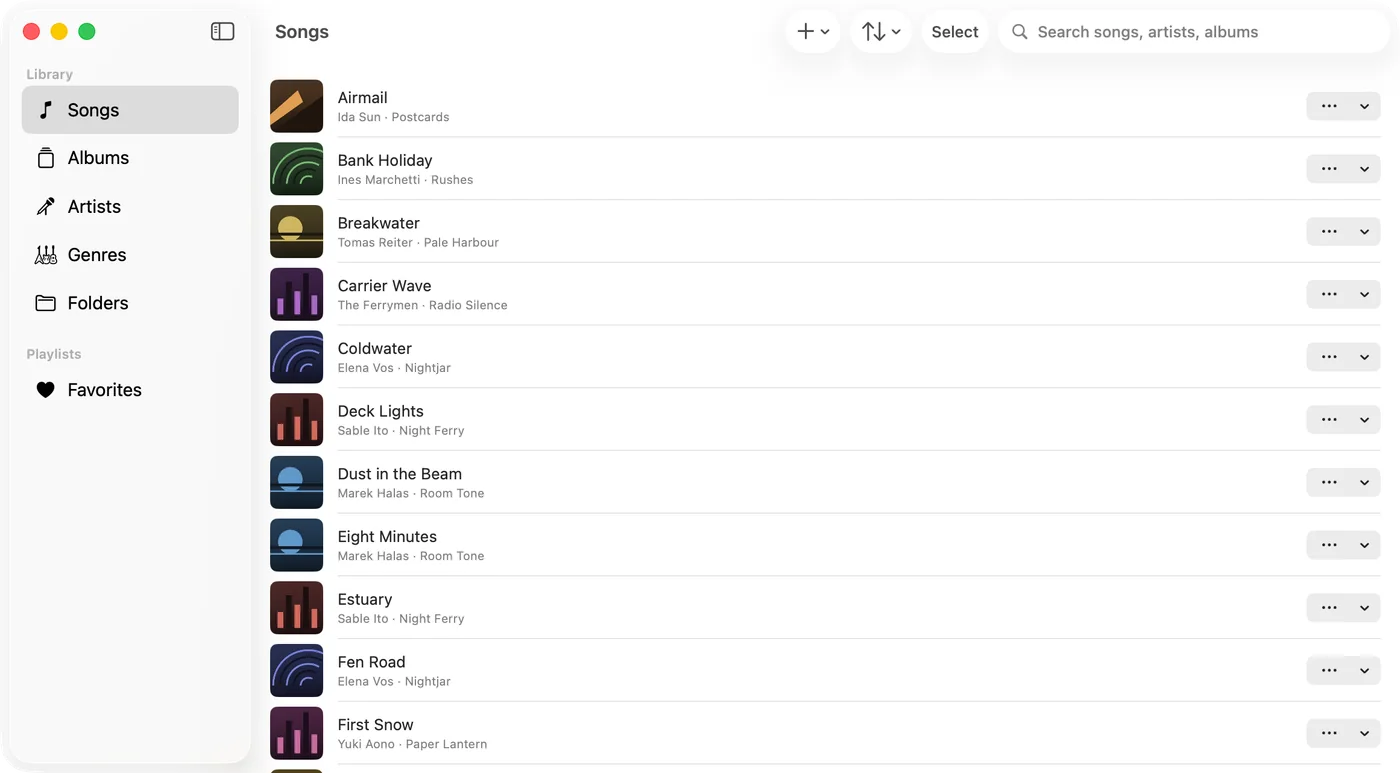
Ours. Trove is free to download; the unlock is $9.99 once, there is no subscription tier and no advertising in any tier, and one purchase covers iPhone, iPad, Mac and Apple Watch from a single App Store listing — the entitlement attaches to your Apple Account, not to a device, so signing in on the Mac is all it takes.
Formats first, since that is why you were on Flacbox: MP3, AAC, ALAC, WAV, AIFF, CAF and FLAC natively; APE, OGG, OPUS, WMA, DSD (DSF and DFF), WavPack, TTA and Musepack through built-in extended decoding. Gapless, a 10-band equalizer, playback speed, a sleep timer and CarPlay are all in the free app. The $9.99 unlock buys WebDAV and SMB, Apple Watch sync, tag write-back, smart playlists, the Mac's floating desktop lyrics window, and tap-to-sync lyrics editing.
Where Trove is the wrong answer. Flacbox reaches Dropbox, Google Drive, OneDrive, Box, Yandex and FTP. Trove reaches WebDAV and SMB and nothing else — if your hi-res library sits in a consumer cloud, Flacbox is simply the right tool and you should keep it. Trove also needs iOS 17 or later, and it shipped in September 2026, so it has a few ratings against Flacbox's 8,500 and none of the long tail of bugs an eight-year-old app has already found and fixed.
Side by side
| Price to remove limits | Advertising | Network sources | Mac app | Rating (count) | |
|---|---|---|---|---|---|
| Flacbox | $19.99/yr or $69.99 once | Yes | WebDAV, SMB, FTP + clouds | No | 4.6 (8,400+) |
| Evermusic (same developer) | $12.99/yr or $59.99 once | Yes | WebDAV, SMB, FTP + clouds | No | 4.6 (18,900+) |
| Doppler | $9.00 once | No | None | Separate purchase | 4.6 (1,500+) |
| Neutron | $12.99 upfront | No | Yes | No | 4.0 (200) |
| foobar2000 | Free | No | Limited | Separate app | 4.5 (180) |
| Trove | $9.99 once | No | WebDAV, SMB | Same purchase | New — few ratings |
US App Store, checked 8 September 2026. Developer names and advertising disclosures come from Apple's own listing pages.
Before you migrate a hi-res library
- Check what is actually on the device. Files downloaded from a cloud into Flacbox live inside Flacbox. Make sure the originals still exist on the NAS or in the service before you delete the app.
- Confirm your DSD files play the way you expect. DSD support varies more than any other format — DSF and DFF, native versus converted output. Test one before you commit.
- Write your tag edits back into the files. Fixes made only inside a player usually stay there. Tag write-back exists for exactly this, and desktop tools like Mp3tag do the same job.
- Move one album first, not the library. Play it gapless, end to end, and check artwork and lyrics arrive with it.
Setting up WebDAV for the first time is written out step by step here. If you are choosing between formats rather than players, FLAC vs ALAC covers that instead.
Try Trove on your own library
Free to download. $9.99 once for WebDAV, SMB, Apple Watch sync and four more — on Mac, iPhone, iPad and Apple Watch from the one purchase, and nothing renews.