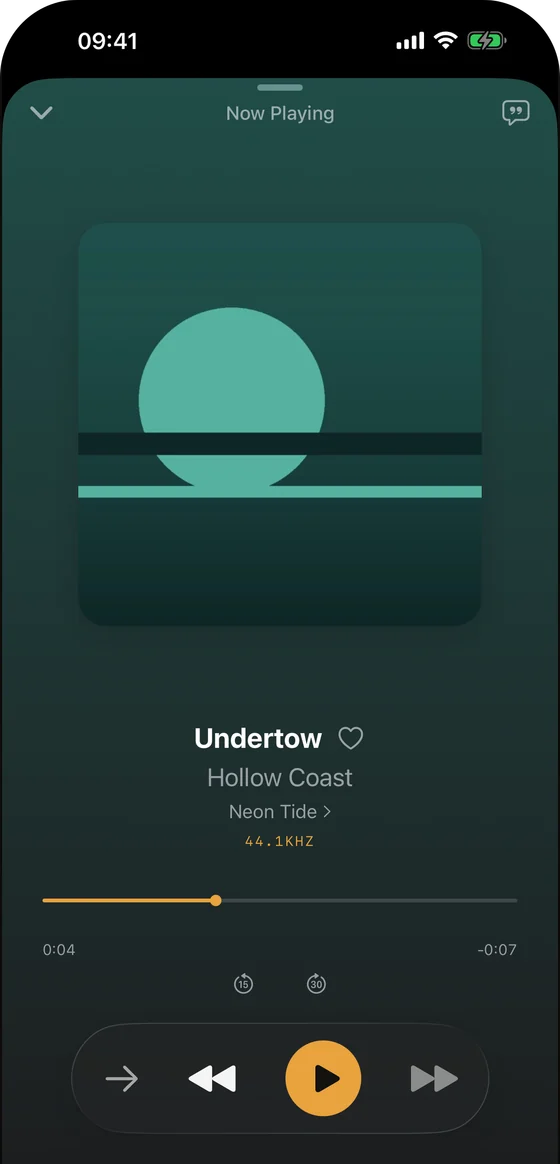
iPhone Now Playing
A genuine Trove iPhone playback screen with sample music; it does not depict a NAS connection.
Press and media
A small, source-backed kit for writers covering local music, Mac and iPhone apps, and NAS listening. Try the app and verify the workflow yourself.
Trove Player is a native, local-first music player for iPhone, iPad, Mac and Apple Watch. It plays files you own, including FLAC and DSD, with gapless playback, lyrics and library tools. Trove Pro adds direct SMB and WebDAV browsing for music on a NAS or server. It is made for collectors who want their own files on their own devices, without a streaming subscription or a Trove account.
Trove is built independently by Chongqing Mengxiande Technology Co., Ltd. These materials are for Trove press coverage; they are not a review, award, user-count claim or third-party endorsement.
The Pro purchase shares features, not audio files. Trove's Library Sync is a manual export/import file for hand-built playlists, favourites and ratings; it is not automatic music sync. See the FAQ for the distinctions.
These files come from the Trove app and its existing authorised product imagery, using sample music only. The SMB and WebDAV forms are empty simulator captures. They show the app interface, not a successful NAS test. You may download them for editorial coverage of Trove; please do not alter the UI or imply an endorsement by Apple or anyone else.
A genuine Trove iPhone playback screen with sample music; it does not depict a NAS connection.
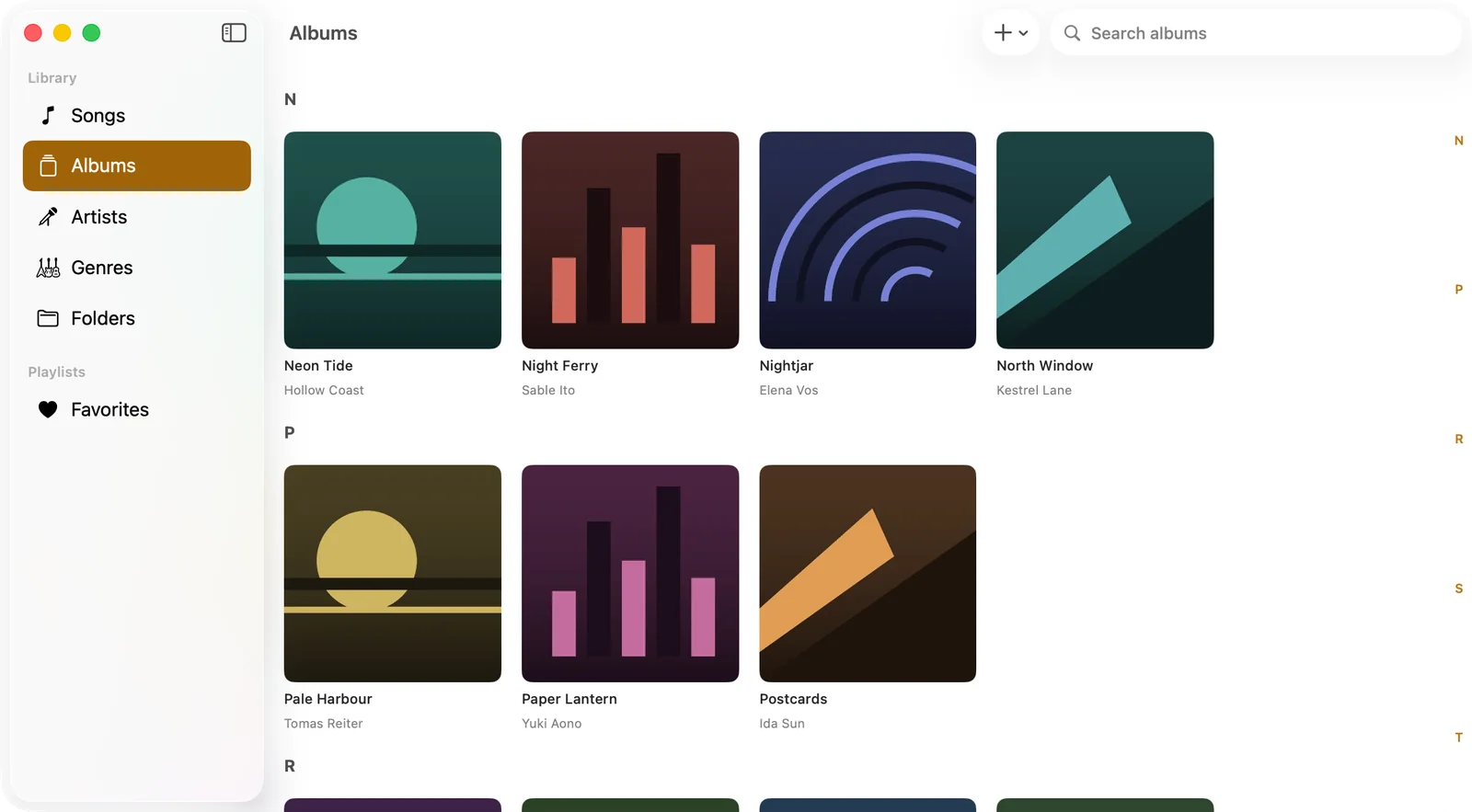
A genuine Trove Mac library screen with sample albums; it does not depict a NAS connection.
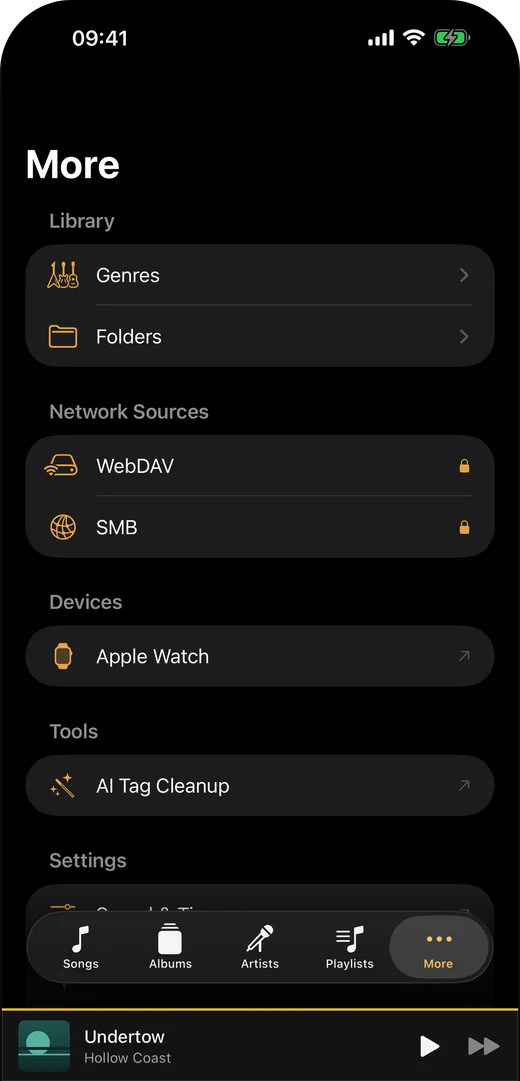
The actual More tab showing where to start a WebDAV or SMB setup. The padlocks show Pro gating, not a connected server.
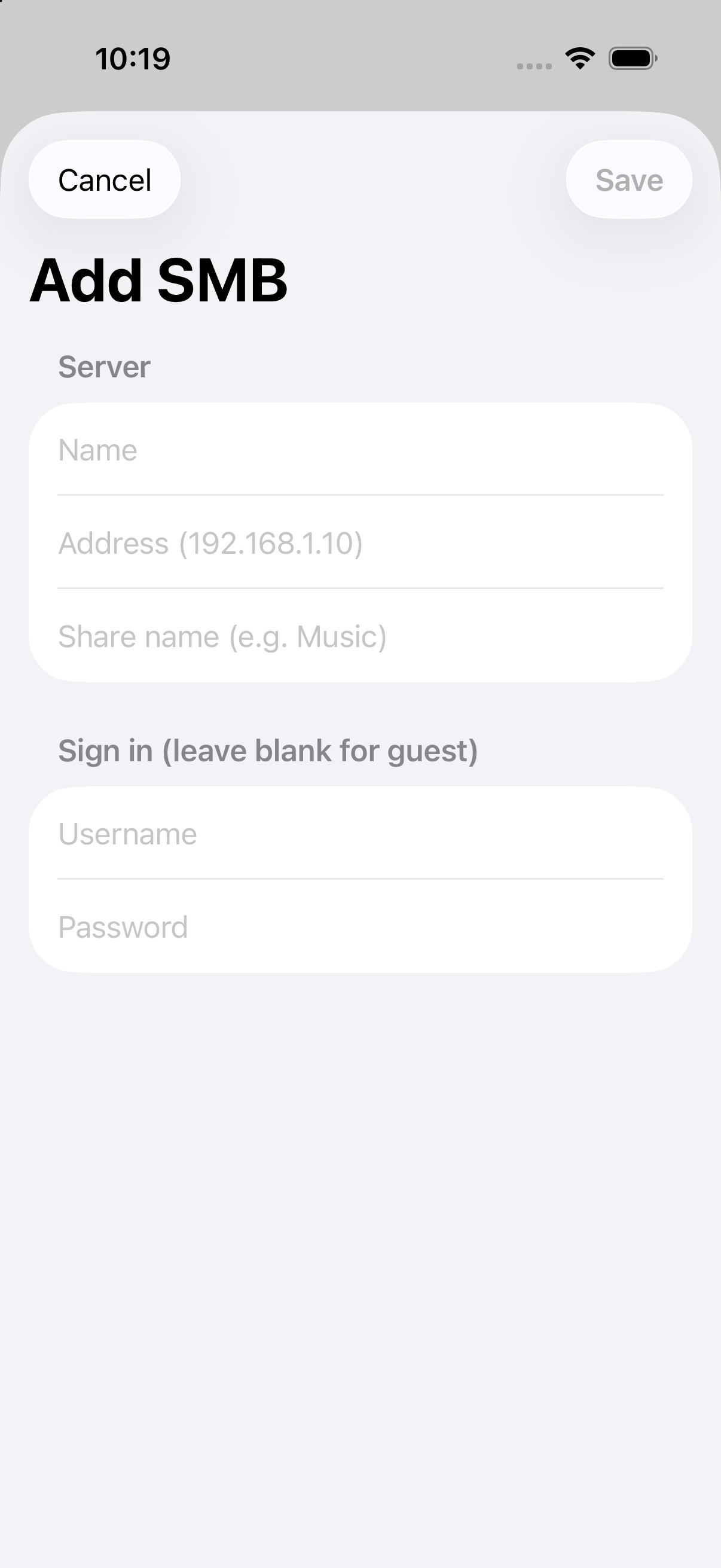
A genuine empty SMB setup form from Trove 1.6 in an iPhone simulator. No credentials were entered or connection tested.
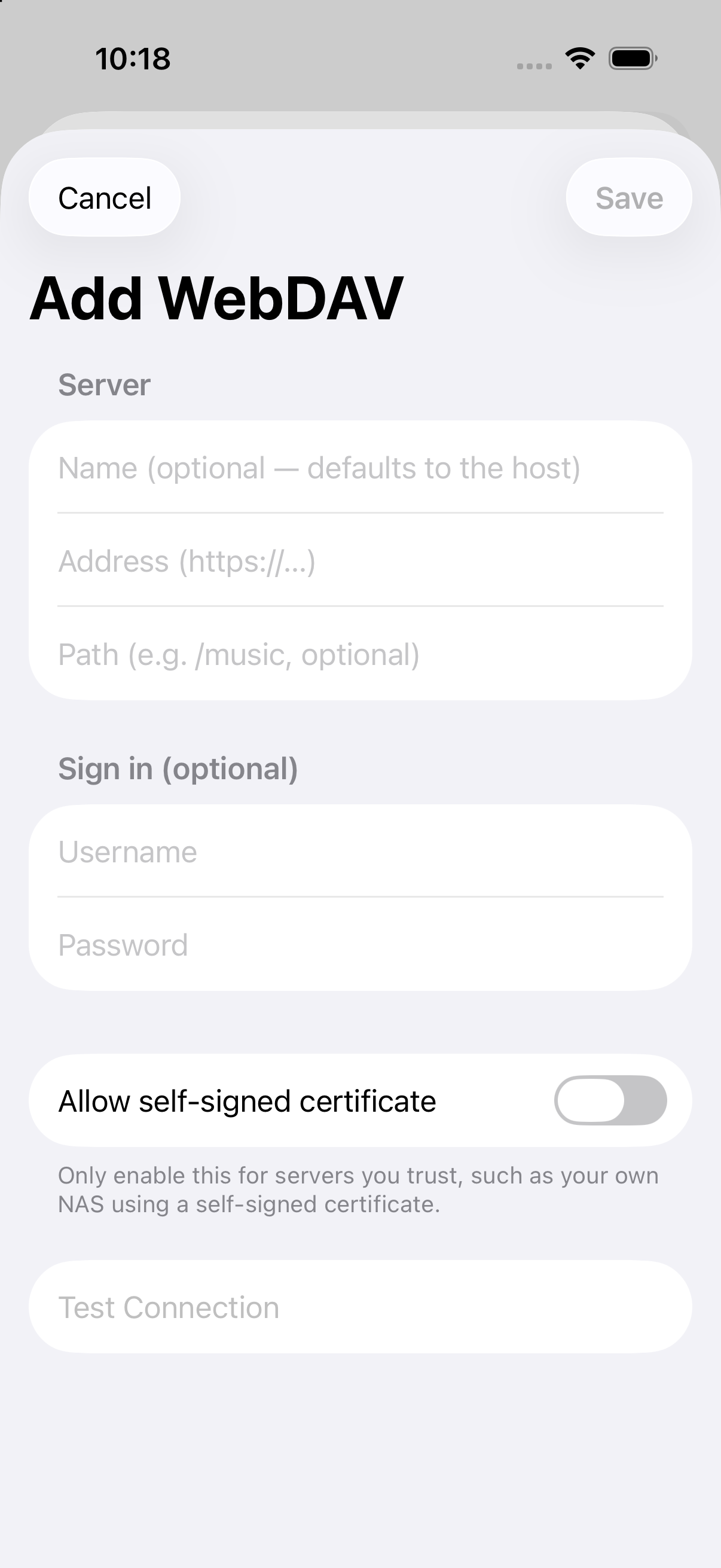
A genuine empty WebDAV setup form from Trove 1.6 in an iPhone simulator. Test Connection is disabled; no server was tested.

The official 1024 × 1024 Trove app icon from the app's asset catalog.
Download the free app to test local playback; a Pro purchase is needed to test NAS sources. For facts, image use or an interview, contact the official address below. We do not arrange paid reviews through this page.